Connect your camera
Recipes are sent straight from this browser over USB. Four things need to be true before the camera will answer.
-
1
Open this page in Google Chrome
USB is only exposed over HTTPS or on localhost, and only in Chromium browsers. Chrome is the one to use.
-
2
Plug the camera in over USB
Use a data cable, not a charge-only one, and switch the camera on.
-
3
On the camera go to Network settings › Connection Mode › USB RAW conversion.
In USB card-reader mode the camera mounts as a disk and never answers as a device. Pick USB RAW conversion instead — the two screens look like this:
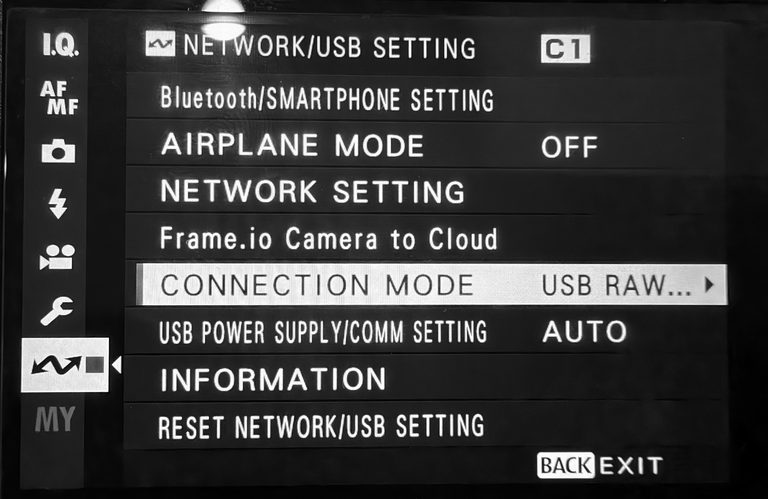
Network settings › Connection Mode › USB RAW 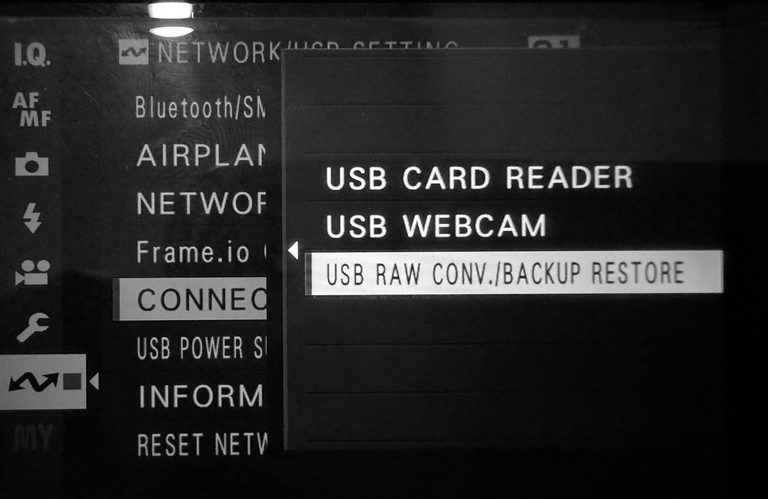
RAW CONV. -
4
Quit anything else holding it
Photos on macOS, gvfs on Linux and MTP on Windows take the camera first. Close them, then reconnect.
 Open this page in Google Chrome
Nothing connected yet. Steps 2–4 are on the camera; the button below connects it.